
I want to commission a piece of software for viewing and sorting images, which works like a Digital Asset Manager, but without a database, or any form of caching, either in the Application, or via the system’s QuickLook caching.
- The software is optimised for use with 3 or more displays.
- It just interacts with files on disk, much like using Finder and QuickLook, but better.
Here is the overall picture, with some video examples.
I have a triple-display system, with all displays being in the same space – so a single menubar on my middle (main) landscape monitor. My dock is down the left hand side of my left portrait monitor.
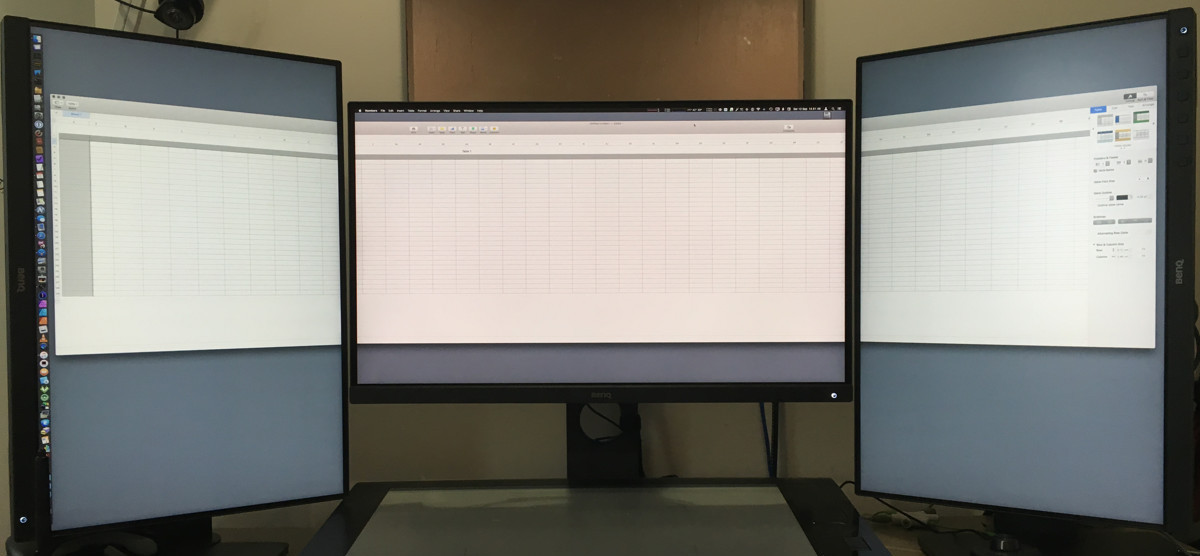
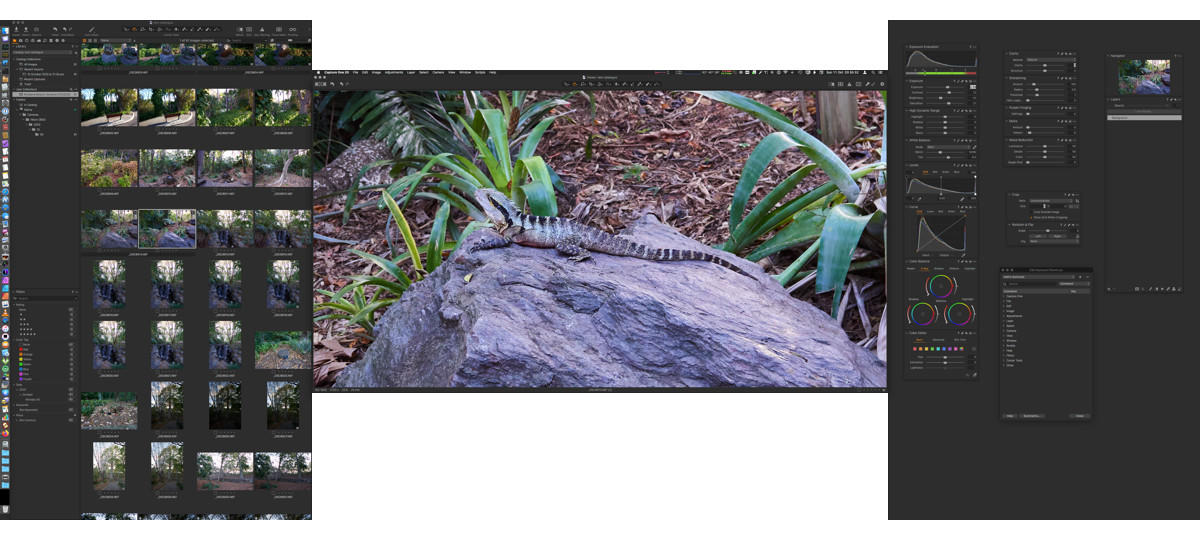
One of my major workflows is quickly reviewing & sorting images in finder. Normally I do this with QuickLook.
The workflow is:
- Select an image in finder.
- Press Space
- Maximise the QuickLook window on a different display from the one containing the Finder window. This will set the display to a black background, centre the image, and zoom it to fit. Similar to CSS background-size: contain.
- Keep changing the selected image, & QuickLook remains in that “zoom to fit” mode.
- Images can be moved to folders, while QuickLook remains full screen on the chosen display.
Problems:
Since macOS 10.13 High Sierra, QuickLook has suffered regressions, which make it less viable for my purposes.
- Images under an arbitrary size always display at their native size.
- Viewing an image a second time without two or more different images between viewings resets its zoom to native pixel size.
- From 10.14 Mojave onwards, images whose pixel dimensions are smaller than the screen always display at their native pixel size after the first image, so the entire workflow is broken.
Enhancements:
One of the problems with this workflow, even if working properly, is that image viewing is restricted to a single display, unless you exit QuickLook’s full screen, move the image to the other display, then re-enter QuickLook Full-screen.
This defeats the value of having both landscape and portrait displays.
- An ideal solution is for the software to display landscape images zoomed-to-fit on the landscape display, and portrait images zoomed-to-fit on the portrait display.
- Having the same image, zoomed to fit on both displays would be the least worst option.
- There is a matrix of opportunities for displaying multiple images – such as auto-tiling based on aspect ratios of selected images:
- Two portrait images tiled horizontally on the landscape display.
- Two landscape images tiled vertically on the portrait display.
- Slideshow that shows one image at a time, on the appropriate display etc.
Goal:
The desired outcome is for a lightweight application, which can run as far back as macOS 10.13 High Sierra, that functions like Finder on one display, and Quicklook full-screen on two other displays.
- When you launch the app, it should spawn a Finder-like window on your nominated browsing display, then black out the other two displays while the application is visible.
- The dock should not be obscured – I don’t want to use the standard macOS “full screen mode”.
- Some sort of control HUD for toggling a viewer from the equivalent of CSS Background: Cover, to CSS Background: Contain.
For example (Aperture):
- The file browser window should surface Finder’s functionality – colour tags, moving files, having more than one location accessible at once, either by split panes, or using multiple windows, as Finder does.
- No retained databases, icon caching, project settings files etc. I want this app to be focused on, & respectful of user privacy in the “record no data” way, not the “record data, but encrypt it” way.
- I have done photo shoots at security-sensitive locations. I have to guarantee to clients that the images are stored on encrypted disk images etc. The application can’t leak or retain anything once that disk image is unmounted – no storing of image icon caches in ~/Library etc.
- IF a further development path allows for a more Digital Asset Management-like function, where there’s a database to abstract anything – it must be able to be stored on the encrypted volume with the images, and likewise not retained or recoverable within the app once the encrypted volume is unmounted.
- Saving battery and processor by caching images etc is not a goal.
There is one other goal – I’d like to know the feasibility of the app being made so that it can be ported to Linux & Windows. Part of the goal of this project it to lessen my dependency on Apple for my tools.
Resources:
I’m going to be funding this out of my own pocket, because no one makes an app that does this task in this way.
There are multiple Digital Asset Managers beyond the big players like Capture One, Lightroom, Apple Photos (Photo Mechanic, Lyn, Photo Supreme), but none are oriented towards a triple screen layout, with multiple viewer windows, and with a non-database focus on image security.
I’m not after an ordered slideshow viewer, where every image has to be loaded into memory at once, and then you can choose between them – this is a tool for selecting, viewing and filing, with a slideshow function.
I can provide whatever is necessary in terms of Artwork assets etc – I have almost 30 years DTP / multimedia publishing experience, so I can do as much work as necessary within my skillset, or I can get as far out of the way as necessary.
I would like to be able to sell this software as a product, so owning the IP etc. is my goal (I already sell eBooks through FastSpring, so I’m not concerned by the limitations necessary to be a Mac App Sore app – I prefer to buy indy software direct – but generating serial numbers etc, that’s outside my expertise).
So?
The basic questions:
- Can it be done?
- How many digits would you anticipate the price containing?
- What’s likely to be the first digit?