Matt Godden

human : artist

Bring content into view.

Main : Timeline

Pinned and chronological feed of posts. Check The State of The Art for the big picture.

Review: Adonit Jot Touch 4

Opening disclaimer: I have previously purchased a Jot Touch 4, and an original Jot Touch. The first generation model has unfortunately been made obsolete by changes in iOS 7, and so I was provided with a “keeper” review unit by Adonit, and Mobile Zap Australia, as a replacement.

As an artist, and one of them “Readers”, my kit for whenever I was out of the house day to day usually contained the following:

  • A4 Sketchbook.
  • Blue lead mechanical pencil.
  • Graphite mechanical pencil.
  • Eraser.
  • Paperbook novel.

When the iPad came into my life, I had the chance to consolidate, and the linchpin for all of this, and indeed the one missing part of the iPad puzzle that allowed me to adopt the platform, was the Jot Touch 4.

The Jot Touch is an iPad stylus which, uniquely when it debuted, provides pressure-sensitivity much like that of a Wacom tablet. It’s a genius solution to the problem of iPads not actually being pressure sensitive – the iPad natively tracks the location of the touch from the stylus tip, and the pressure information is measured in the pen, then communicated in realtime over Bluetooth.

To get the benefit of this, one needs a Jot enabled app, and my weapon of choice at the moment is ProCreate. If you click on the image above, what you’re seeing is a single tool – the 6b pencil, with no adjustments made during the entire drawing session. Everything there comes from the range of pressure available in the pen. It’s been a while since I did any repetitive drawing exercises , but the range of thin and thick strokes, variations from thin to thick and back, and ability of the pen to reliably keep up with my fast scribble drawing style mean that this tool is in every way a capable replacement for analog drawing implements.

Now, obviously a question that’s going to arise is what it’s like compared to an actual Wacom tablet. Adonit list the pen as recognising 2048 levels of pressure, much the same as the current desktop Wacom technology, and possibly more than many of the “Wacom enabled” tablet devices out there. For me, however it comes down to this – how good is your muscular control, that you could be that subtle in pressing on a pen? You can see some jitteryness and straight bits in loops in the image above – that’s entirely down to me and my less than rock-steady hands.

In terms of the hardware itself, The construction quality is utterly sublime. The stylus has a cylindrical aluminium barrel in charcoal or a deep lustrous red, and a rubber coated grip area with two buttons that can be mapped to control various functions. Between the buttons is a status LED, which glows red while charging, and green to indicate switch on, or charged. The cap screws off, and can be screwed onto the base when in use. Under the cap is the nib itself – a biro-fine metal tip ending in a clear plastic disc attached in the middle with a ball & socket joint.

This combination takes a moment of acclimation, and a bit of care when the lid is off. Once you start using it however, the ingenuity of the solution becomes apparent. The iPad has a minimum touch target size – around 5mm in diameter, and this has resulted in most styli being fat crayons, whose tip thickness obscures the point at which marks are made. The Jot’s clear disc, and fine metal tip mean that you can clearly see where your pen mark is happening, at least as clearly as you would with any analog drawing implement. In ProCreate, I have the brush outline switched on, and it’s clearly visible through the disc. So, you get direct visual feedback of how the pressure you’re applying translates into brush size – assuming that’s the dynamic you’ve got enabled.

This brings up an important point – because the iPad has a hard, flat, glass screen, and the Jot Touch has a hard, flat, plastic tip, a small bit of grit could potentially get caught between them. If you’re pushing down on the pen, there’s a risk of scratching your iPad’s glass. My recommendation is to carry a micro-fibre cloth, and then clean both the iPad, and the pen tip before each drawing session. Another option might be to try a screen protector if the cleaning solution is unworkable.

Back to the stylus’ construction, possibly one of the nicest features is the recharging setup. The end of the pen latches into a usb recharging dock which is about the size of a tiny USB thumb drive. It’s held in by magnets, strong magnets, which support the pen securely regardless of orientation – mine hangs in space parallel to the floor, the charger plugged into the usb port in the side of one of my displays.  The magnets also make docking the stylus automatic – get the end of the stylus close enough, and it will auto-align and pull into place.

The battery lasts long enough that I’ve never even come close to wearing it out – Adonit claims a month of “nomal use”. Like most of my devices, I plug it in each night, but you can happily leave the Jot in a bag for days without worrying about lacking power. I’m a big fan of built in batteries – the idea of having to use something like AAA batteries for a device is one of my pet peeves, so the Jot’s power setup really is a brilliant solution.

I’d like to close with a comparison – last week I received a Wacom Airbrush stylus, which I was intending to use to replace my broken Intuos4 XL Grip pen. It costs basically the same as the Jot Touch, and while it has a different featureset, in terms of build quality I think it’s reasonable to compare them. The Wacom pen is back with the distributor for exchange because all of the internals were so poorly fitted to the case that pressing the eraser in made the tip move out. It also felt fragile, hollow, squeezable under grip pressure, and cheap. The Jot Touch is utterly unlike that which we put up with from Wacom. It’s a true masterpiece of solid, functional, spare, Modernist industrial design, and a standard to which all objects one holds in one’s hand, should aspire.

If this article was of use, a donation would help support my projects.


Week 38 of 52

Work, work, work this week. I picked up the stainless braid, but apart from that, it’s been nose to the grindstone on the UWS sculpture. Progress is painfully slow – there’s lots of measuring, testing, planning and fitting. Because there’s lots of overlapping, nothing can be locked down, so I’m having to peel multiple pieces back in order to put in new support infrastructures for each new piece. That said, the work is coming along well, and the base should be complete in the next week.

I ordered a new pen for my Wacom tablet, after my old pen developed a cracked barrel. The choice was a Wacom Airbrush pen. Unfortunately, the unit that arrived was mediocre. The whole internals were insufficiently connected to the pen body, so that when you press the eraser, the nib popped out by 1mm, and then when you press down on the nib, you could feel it pop back in.

Needless to say, I returned it, and now I’m waiting for them to send a replacement.


Week 37 of 52

…in a row?

So this week, the green side of the UWS piece has been mounted to the completed armature, which has been painted black to make it less visible through gaps between the plates of the work. The attachment method I worked out was successful, but required a lot of drilling through metal. Since my drill bits had all become blunt, and drilling through metal is a mountain of effort, I dropped in to bunnings and picked up a couple of nifty things. Firstly, a drill sharpener – this is a marvel. It’s got a pair of grinding wheels driven by the drill itself, and then an attachment you put the bit into, which locates it against the grinding wheel. As you twist the attachment, the bit gets sharpened. It’s stunningly effective.

The other thing I picked up was a drill press. I’ve wanted one of these for ages, and they’re available for under a hundred bucks. So in the studio I’ve now got the Dremel, drill press, a cordless drill set up as a driver, another set up with a long socket extension, and an angle-grinder. Fun times.

The BIG news of the week, is I managed to secure a materials sponsorship for the work. The sponsor is the provider of the stainless steel hosepipe, who have been kind enough to give me all the stuff for free! This is an amazing development as it was expected to be a major cost in constructing the work. Fun, fun times.


Week 36 of 52

Had a bit of downtime this week, recovering from the grant application. Fingers crossed, I believe I put in the best proposal I could, so hopefully I’ll get the finance.

Most of the productive time this week was devoted to getting the armature for the UWS piece constructed. My original plan was to build it in PVC pipe, and then fill that with concrete. Unfortunately, after consulting with a cousin who’s a builder, I figured that the concrete would be too brittle, so I moved to galvanised threaded pipe. This has some significant advantages – it’s strong, self supporting, has readymade connectors, and won’t rust outdoors. The only problem was getting closed loops to work, because the pipe isn’t flexible. The solution to that was a PVC elbow or connection in those couple of places, which  doesn’t appear to have effected the structural integrity to any great extent, and gave me the little bit of wiggle room necessary to close off rectangles.

In the next week the job is to get the green side mounted to the armature, and then build the coloured side. I’ve got some good ideas for how the mounting system will work, and hopefully the coloured side will be able to be made relatively self supporting, so it can be hung as a single unit on the armature, but that’s a nice if you can have it, cuttable option.

The other big news is that Derby Daze [squareformat] has been submitted to Apple, so hopefully should be available in the next week to 10 days. I’m really happy with how it’s turned out, as there were a few interesting challenges to overcome, but it has further cemented my working method for  creating these books.


Week 35 of 52

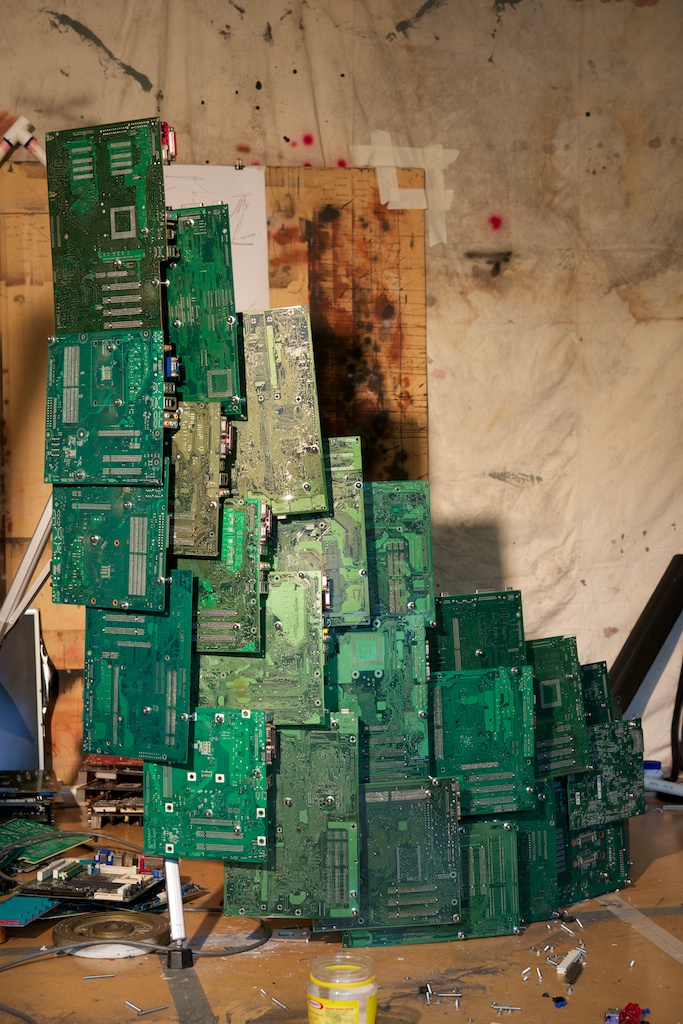
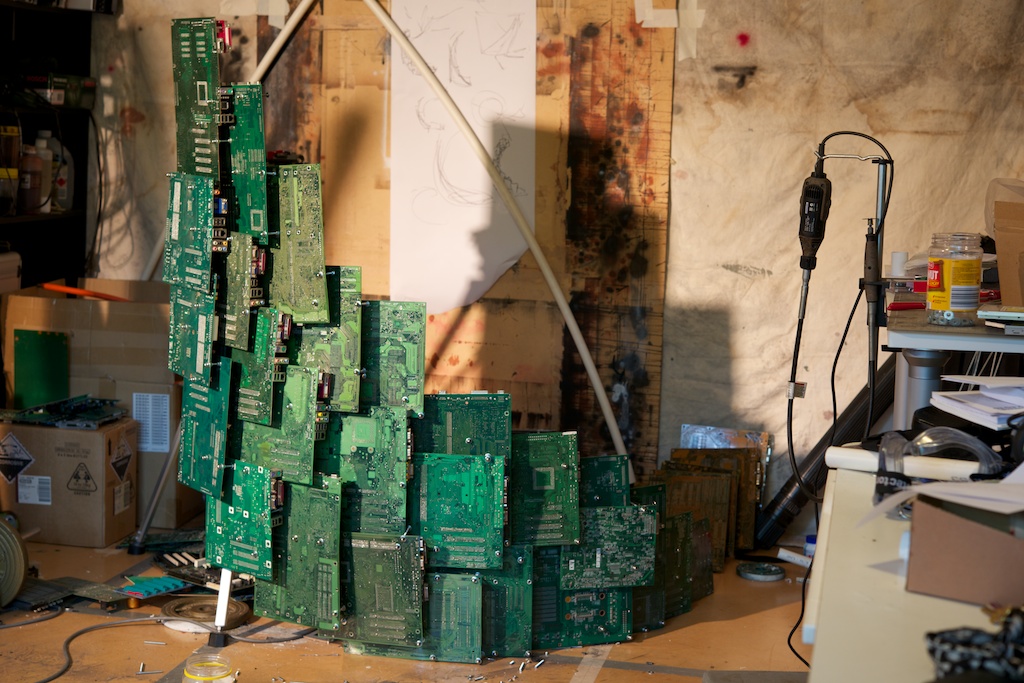
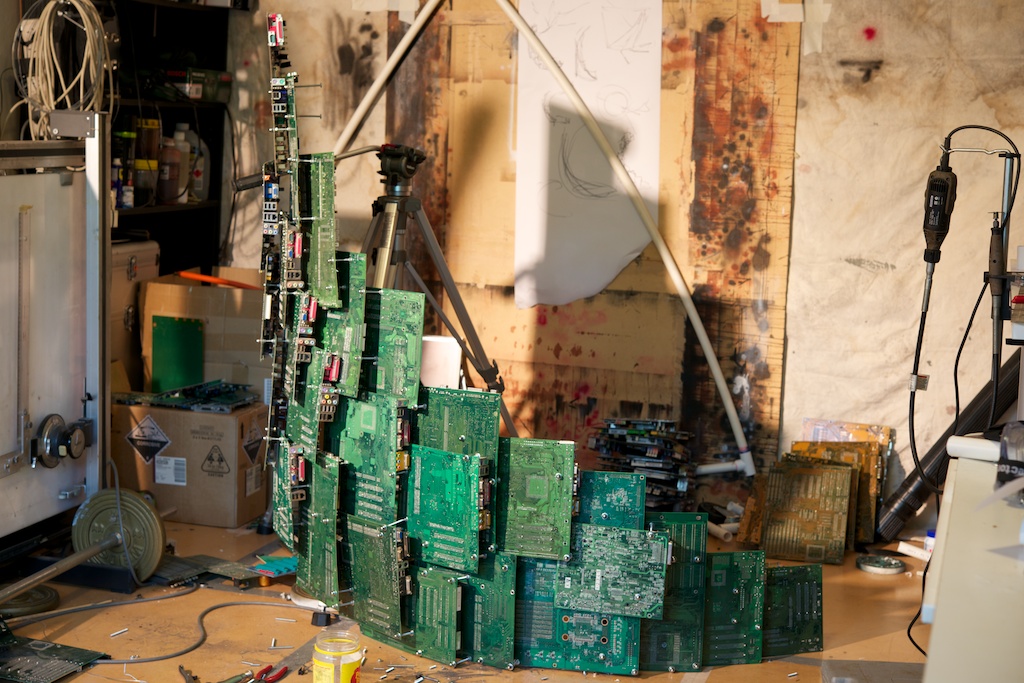
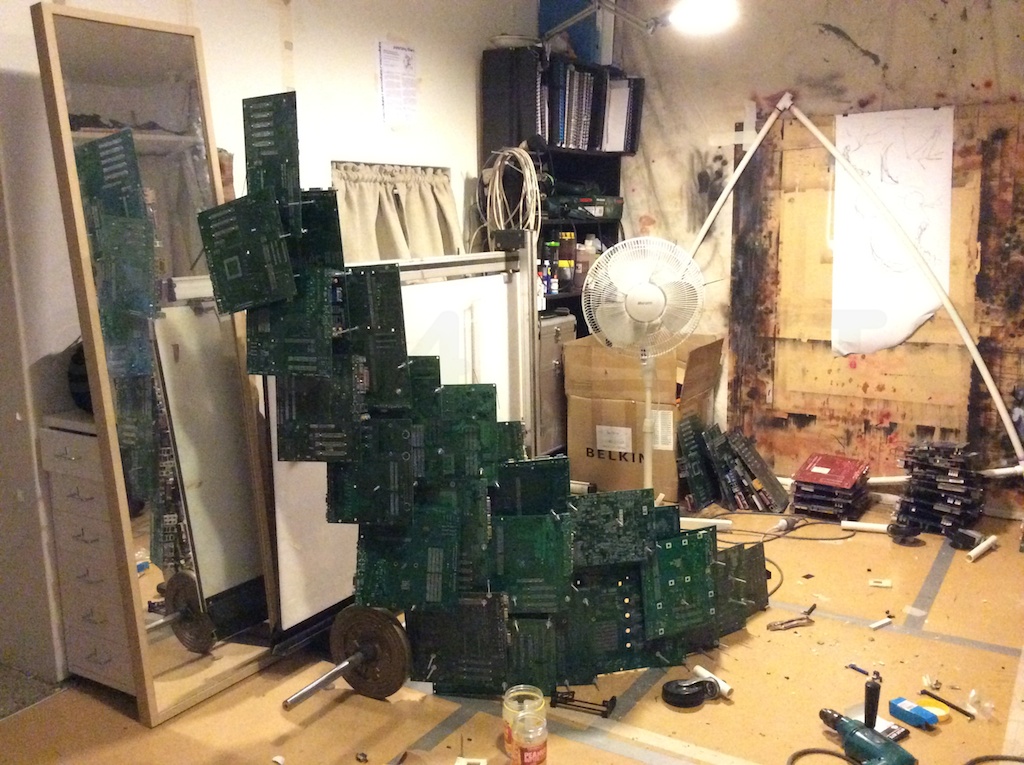
A busy week in every way. Here’s the latest state of the UWS piece:

Now I’ve got to figure out the armature, and then do the other side.

The update to The Metaning went live, and progress has continued on Derby Daze.

The big task this week was working on a new grant application. Fingers crossed, it’ll get me the finance to make my work for Sculpture By The Sea.


Week 34 of 52

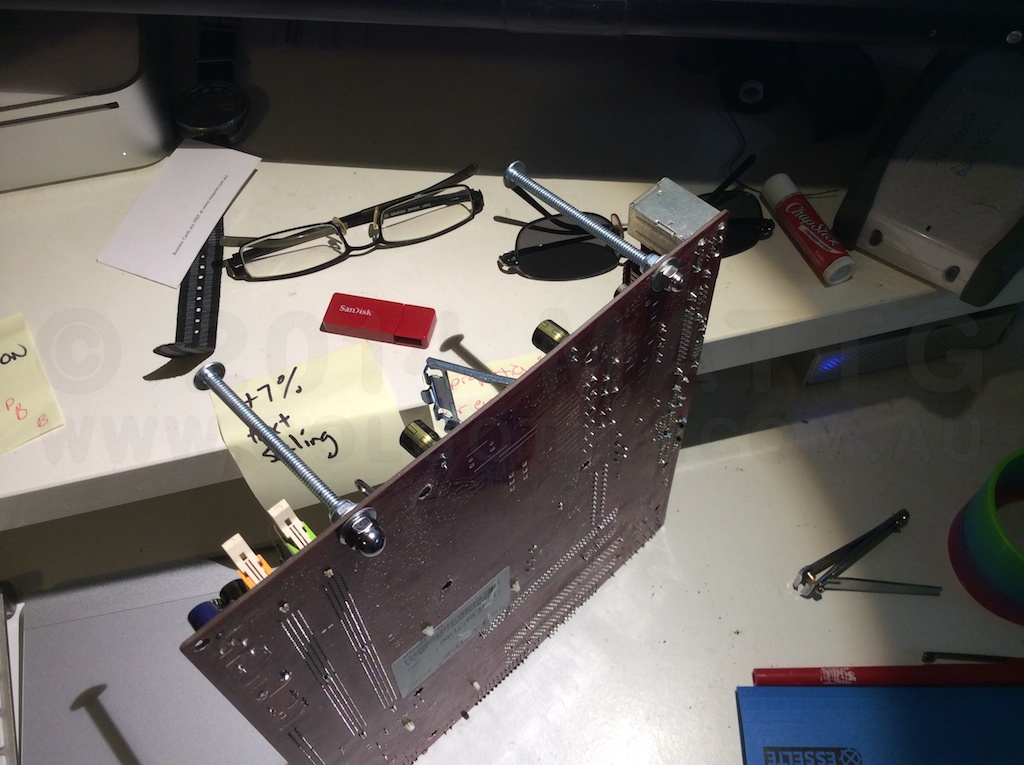
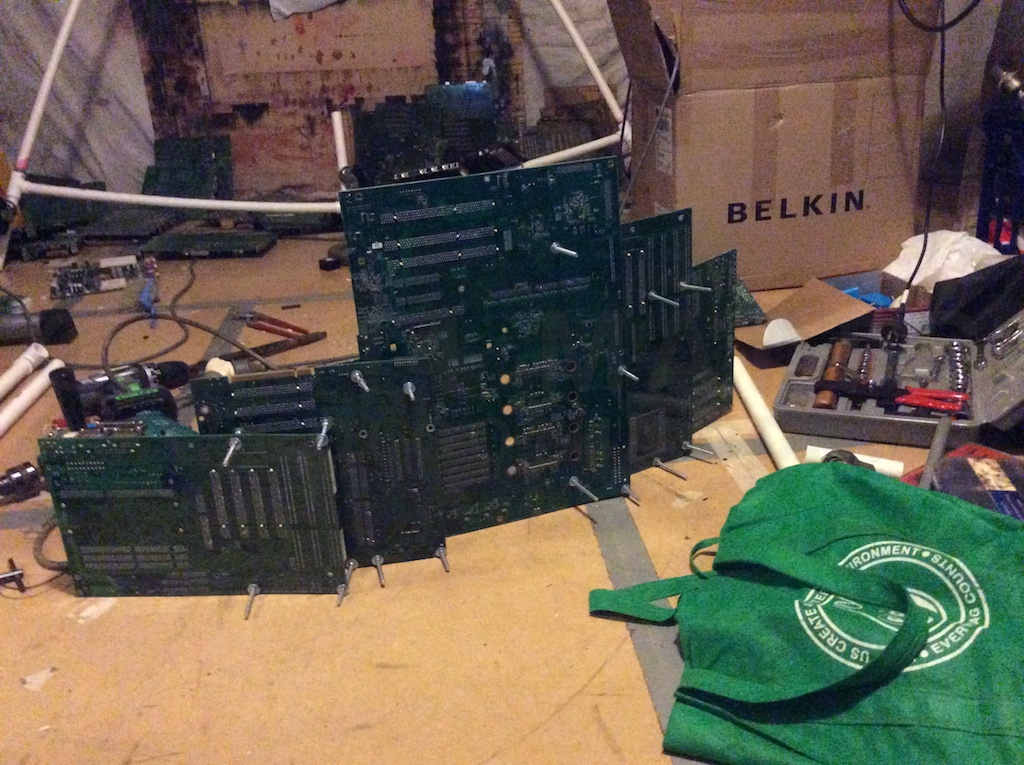
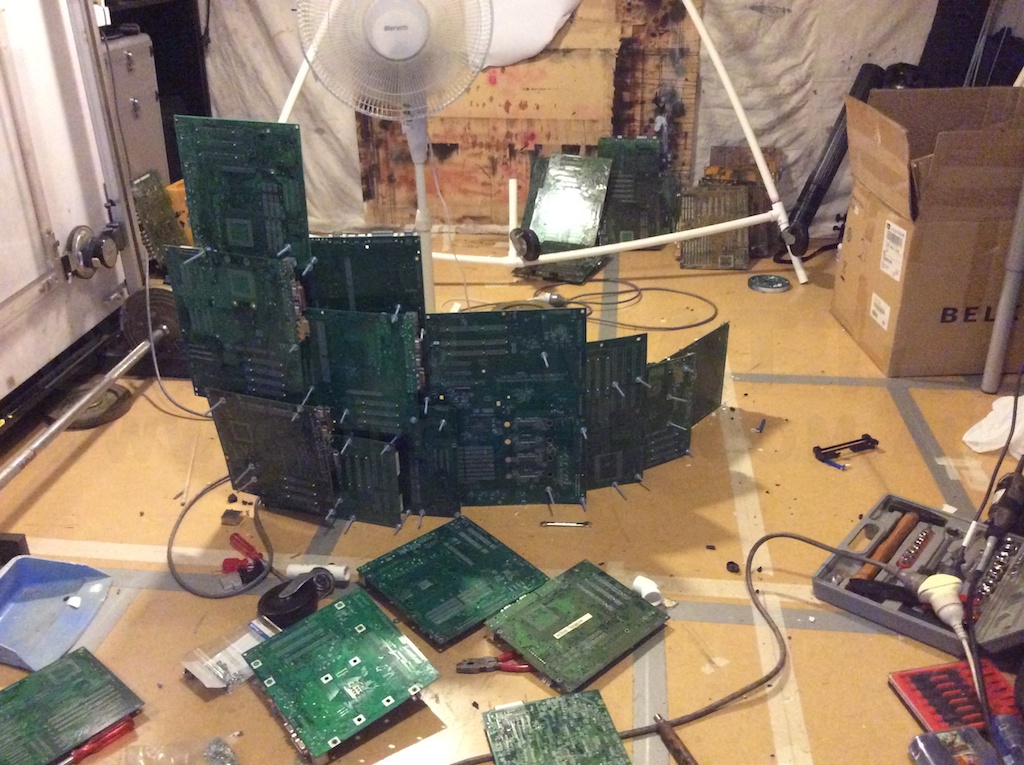
It’s been a great week for progress. I’ve picked up a whole bunch of extra motherboards from a couple of suppliers and commenced work on the UWS sculpture. In addition to this, I bought all the fixings used to connect them together, and learned a new aesthetic principle to guide my further works. The way my circuit board works are held together, is with thin threaded rod or long bolts, with nylock nuts and washers. These terminate in little dome nuts on the outward viewer facing surface. Previously, these were all the same outer size, however the bulk dome nuts I ordered from a local bulk supplier were a whole spanner size larger on the outside, while having the same inner thread size. I thought this was going to look unbalanced, but when combined with the washers they supplied, which were also larger diameter, it actually works a lot better. What had previously just been a functional support which ended in the dome, now has this deliberate appearance where it’s thickest at the end, and then tapers down through the nylock nut, to the threaded rod.

Just one of those wonderful surprises that turn up when unlooked for.

Due to the new arrivals of numerous blue motherboards, my plans for the colour scheme of the work have changed somewhat. I’d previously planned to have a tree with purple leaves, sitting on a patch of gold, with black & green as the rest of the colours of the rock. Now that I’ve got ten blues, four purples and a red, the plan is to have the tree grow out of the red one with the purples around it, radiating out to blue. The leaves now can be gold, which makes a certain sense as they’ll be the most beautiful, eye-catching part.

Other developments, I’ve submitted an update to The Metaning, which enables panel numbering via a setting that the user can switch on or off – better yet, the setting is remembered between reads.

Another project on the EPUB front, my first book of roller derby photography is in development – Derby Daze [squareformat], a selection of images which worked in the square cropped format.


Week 33 of 52

It’s been a fantastic week. I’ve found a new source for computer motherboards, who’s happy to keep stockpiling for me, and I finally cracked a web design thing I’ve been meaning to learn for a long time – using jQuery to set and retrieve cookies.

What this brings is the ability to do things like switching between versions of artwork within The Metaning, as well as globally switching things like captions on or off. Having implemented the captions changeable version, the effect is subtle, and beautiful, with the numbers fading in as the page flip is completed.

I’m starting work on another photography EPUB, this one packaging he square cropped images from the roller derby shoots I did.

I’m also close to locking down the final form of the UWS sculpture.


Week 32 of 52

A frustrating week of trying to get the computer motherboards from the local repair guy. After multiple trips around the block to his shop, the effort finally netted a grand total of 3. I need to find a better and more efficient way of doing this, though I suspect going to the computer shops is still going to be the way to get the materials I need.

With a little over 2 months left to complete the work, I think I’m going to stop working on Surfing The Deathline 4 for a bit, and get the UWS sculpture out of the way, at least so that I’m not worrying about it.

So the plan for now is:

  1. Get Circuit boards.
  2. Mock up the sculpture, possibly in cardboard or foamcore.
  3. Build the armature.
  4. Locate braided hose.
  5. Finish construction.

Once that’s done, I’m thinking that I’ll start releasing an episode of Surfing The Deathline every month, which would give me 3 months to get book 4 finished, and take me through to the end of the ArtStart grant.

The other big news is that I’m going to New Zealand  in April for 3 days, to visit Gibbs Farm, one of the largest private outdoor sculpture collections in the world.


The Other Wrist

Occasionally, I like to engage in a bit of recreational tech prognostication, and with the current hubbub over what Apple will do next, it seems there’s a considerable slice of the world who thinks the next big thing is a “smart” watch.

This is dumb.

Brutally dumb.

Apple, in its current aesthetic is a premium product company. If they are going to make a product, it will feel like the most materially luxurious version of that product. Hence the metal and glass design language they’ve adopted over the past few years.

Here’s the thing, most people don’t wear watches any more. They’ve become an enthusiast device, and the premium end of the market is mechanical. Mechanical to the point of fetishising that very nature, so that whole new classes of designs and movements are being invented, creating even more baroque ways to enable accurate progression via purely mechanical means. The joy of the modern watch is to wear a mechanical engine on your wrist.

That leaves the other wrist. Whatever Apple is working on, will be something you’d keep on your wrist while NOT wearing a watch. It will not be a portal to your phone, it will probably not have a screen at all. My bet, it’s going to be a motion recorder, like fitbit, which allows you to log and stream all your movement for interactivity like a wiimote.

More importantly, it also acts as a wearable passcode key for all your devices. Your mac unlocks when you approach, and locks again when you leave, your phone and tablet unlock when you pick them up, and it talks to iBeacon-using smart house devices (ie those who will fill the void left by NEST becoming a pariah for joining Google) around your house for smart house integration. iBeacon will be the new feature for home environment and control devices, the way AirPrint became a must-have for printers. It’ll be waterproof, and charge inductively.

There is no “how do I tell the time on my wrist” problem to be solved. There is no “how do I get a small music player for while I’m exercising” problem to be solved. There is no “I want to see my email but not take my phone out of my pocket” problem to solve, no actual people think like that. All the “problems” current smart watches “solve” were invented post-hoc purely to justify the concept of the “smart watch”.

Whatever it is, it won’t solve a glaring problem you, or anyone else thinks you have. It will solve problems that were so constant, so low level so much a part of the background friction of your life, that you never recognised them for what they were.

Update March 10th:

Here’s an article on an Apple patent for for doing one of the things I mentioned.