For registered users.
Author : Matt
2025 – Week 19
For registered users.
Congo: The Musical (City of Zinj).
Written by me, for the character Homolka, as played by Tim Curry in the film.
City of Zinj, city of Zinj.
Wealth without limit! And I will posses it!
This monkey has seen,
this Ape knows the way.
This man with the glove gave it the means to say.
The eye who is watching, the eye who sees all.
My plan is unfolding, for I too hear the call.
Of madness in jungles, of legends and tales,
The treasure is waiting, my plans MUST prevail!
I’ll join in their party, advise as I can.
Wearing the disguise of a philanthropist man.
All those who had mocked me,
And all disbelief.
Paying bribes to that warlord, a secondrate thief!
But this talking monkey, this primate, this ape.
My ticket to riches, it can only be fate,
that this Company scion, his fiancé as well,
and the monkey researcher are all drawn to this hell.
This terror, this darkness, to sanity’s fringe!
Where my destiny leads,
all of my dreams hinge.
On finding my fortune, In the City of Zinj.
2025 – Week 18
For registered users.
2025 – Week 17
For registered users.
2025 – Week 16
For registered users.
2025 – Week 15
For registered users.
Long Document Proofing
One of the issues with the EPUB workflow, is that EPUB documents are .zip compressed. This makes proofing & previewing while you’re working problematic, as some reading apps can’t deal with uncompressed documents. With Apple’s deprecation of EPUB authoring and proofing support:
…proofing on an iPad became a pain point that made the work simply not fun to do.
I’ve been thinking about a solution to this on and off for a while now, and a solution hit me that has obviously been percolating up for a while.
Use iFrames.
I don’t know why I didn’t think of this sooner, but the solution is at once clever, and so straightforward it makes me feel stupid for having not seen it earlier.
What you do, is set up the entire document of facing pages using an iFrame for each page, and then set the iFrame sources to the xhtml files inside your EPUB development directory.
Thus the HTML:
<!DOCTYPE html>
<html>
<head>
 <title>The Title</title>
 <link rel="stylesheet" href="styles.css">
</head>
<body>
 <div id="the_container">
  <div class="spread rightonly">
   <iframe src="path-to-your-dev.epub/OEBPS/cover.xhtml"></iframe>
  </div>
  <div class="spread doublepage">
   <iframe src="path-to-your-dev.epub/OEBPS/inside_front-cover.xhtml"></iframe>
   <iframe src="path-to-your-dev.epub/OEBPS/page_001.xhtml"></iframe>
  </div>

  ...

  <div class="spread doublepage">
   <iframe src="path-to-your-dev.epub/OEBPS/page_120.xhtml"></iframe>
   <iframe src="path-to-your-dev.epub/OEBPS/inside_back-cover.xhtml"></iframe>
  </div>
  <div class="spread leftonly">
   <iframe src="path-to-your-dev.epub/OEBPS/back-cover.xhtml"></iframe>
  </div>
 </div>
</body>
</html>
And then the CSS:
html, body {
 margin: 0;
 padding: 0;
}

body {
 background-color: gray;
 transform: scale(0.5); /* set the zoom degree to view */
 transform-origin: 50% 0; /* centres the zoom in the middle of the browser */
}

iframe { /* the width and height of the EPUB's declared viewport */
 border: 0;
 width: 1200px;
 height: 800px;
 margin: 0;
 padding: 0;
}

#the_container {
 width: 2400px; /* double your EPUB's viewport width */
 min-width: 2400px;
 margin-right: auto;
 margin-left: auto;
}

#the_container div {
 margin-top: 10px;
 margin-bottom: 10px;
}

.spread {
 width: 100%;
 display: flex;
 background-color: /* the colour of the background of the pages in your EPUB */;
                   /* this removes the hairline gap between pages */
}

.spread.rightonly, .spread.leftonly {
 background-color: /* a transparent version of .spread's background colour */;
                   /* ensures the space opposing the first and last pages is empty */
}

.rightonly {
 flex-direction: row-reverse;
}

.doublepage, .leftonly {
 flex-direction: row;
}
The nifty thing is the transform scale and origin in the body tag’s CSS, so you can scale the whole thing down if the spread won’t fit in your display’s available space, or if you want a more document-wide overview.
Enjoy.
If this article was of use, a donation or buying something would help support my projects.
2025 – Week 14
For registered users.
New (Modified) Welding Cart.
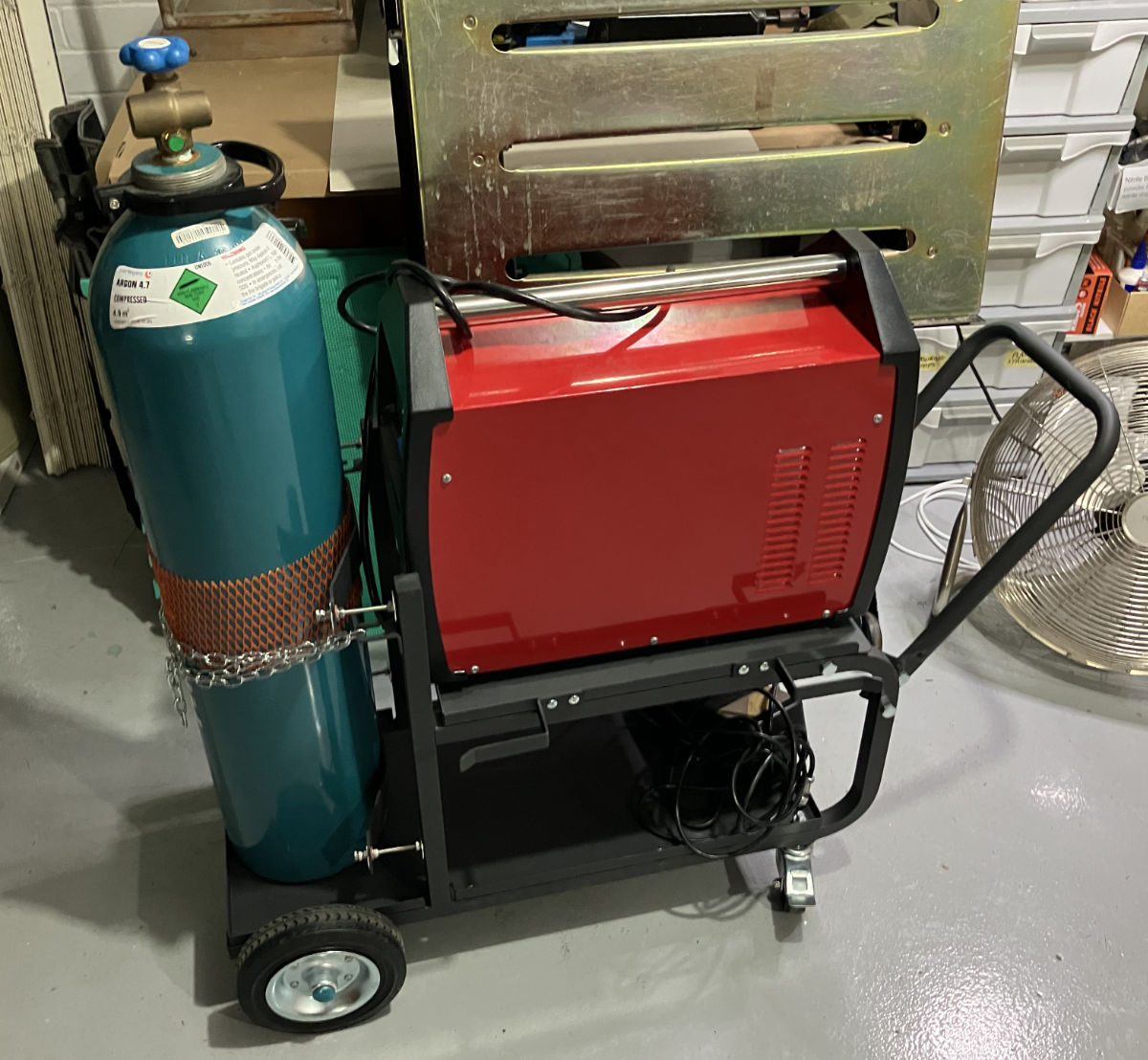
I welcomed a new piece of kit into my metal fabrication setup this week – a Michigan heavy duty welding trolley. This one, specifically.
I have some very specific concerns with my gear, which this trolley had to address. For starters, my welder is very heavy; 20+ KG, as it’s both a welder and a plasma cutter. I bought the combined machine as I was space constrained, and couldn’t fit separate machines for each task. A good idea, but it has this downside – the one machine is heavy, and deep. It’s so deep, that it doesn’t fit on the shelf of most welding trolleys.
Secondly, the welder’s shield gas input is dead-centre on the machine. This means when it’s pushed as far back as possible, so it fits on the trolley’s shelf, there isn’t room for the gas fitting and hose between the machine, and the gas bottle.
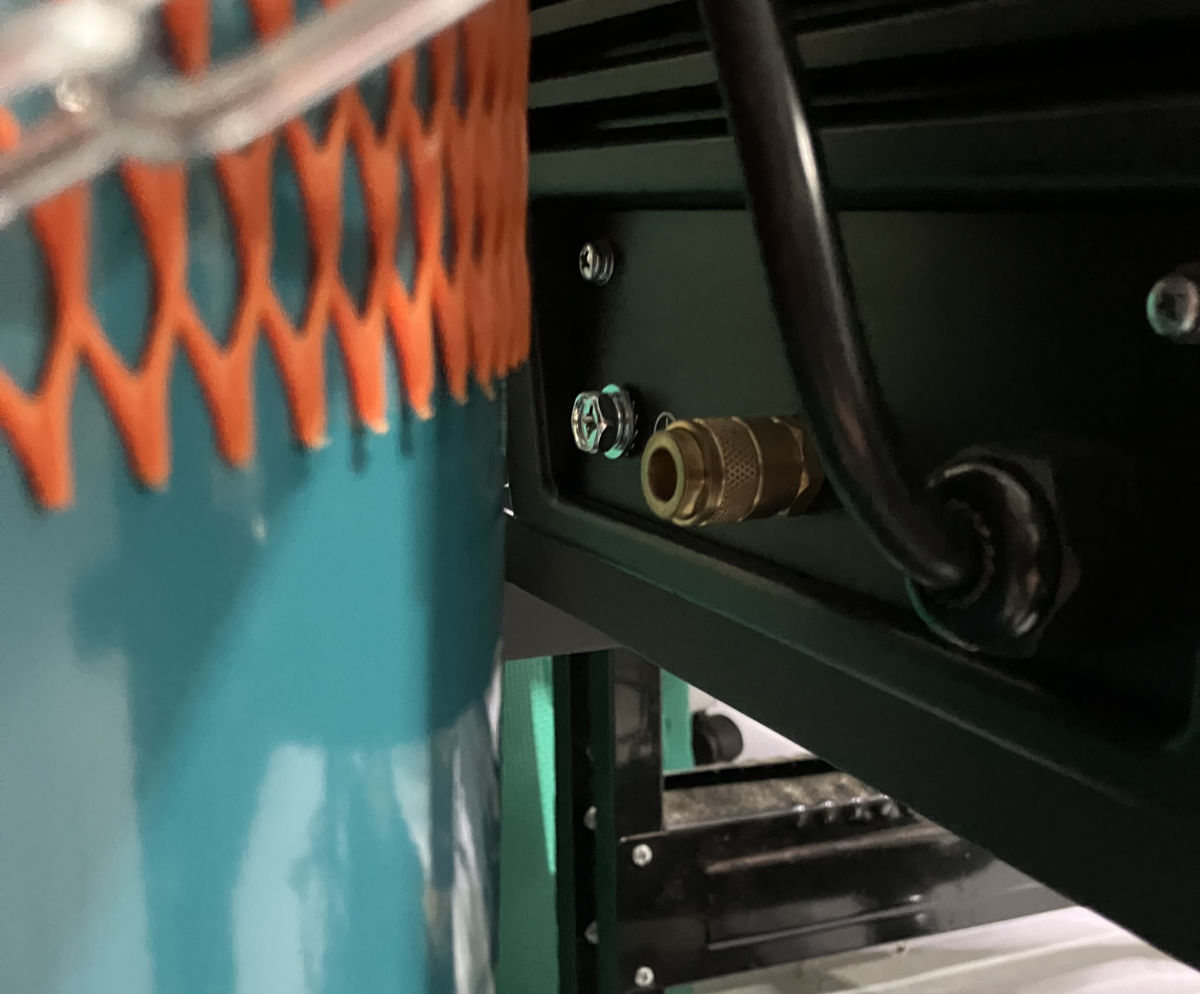
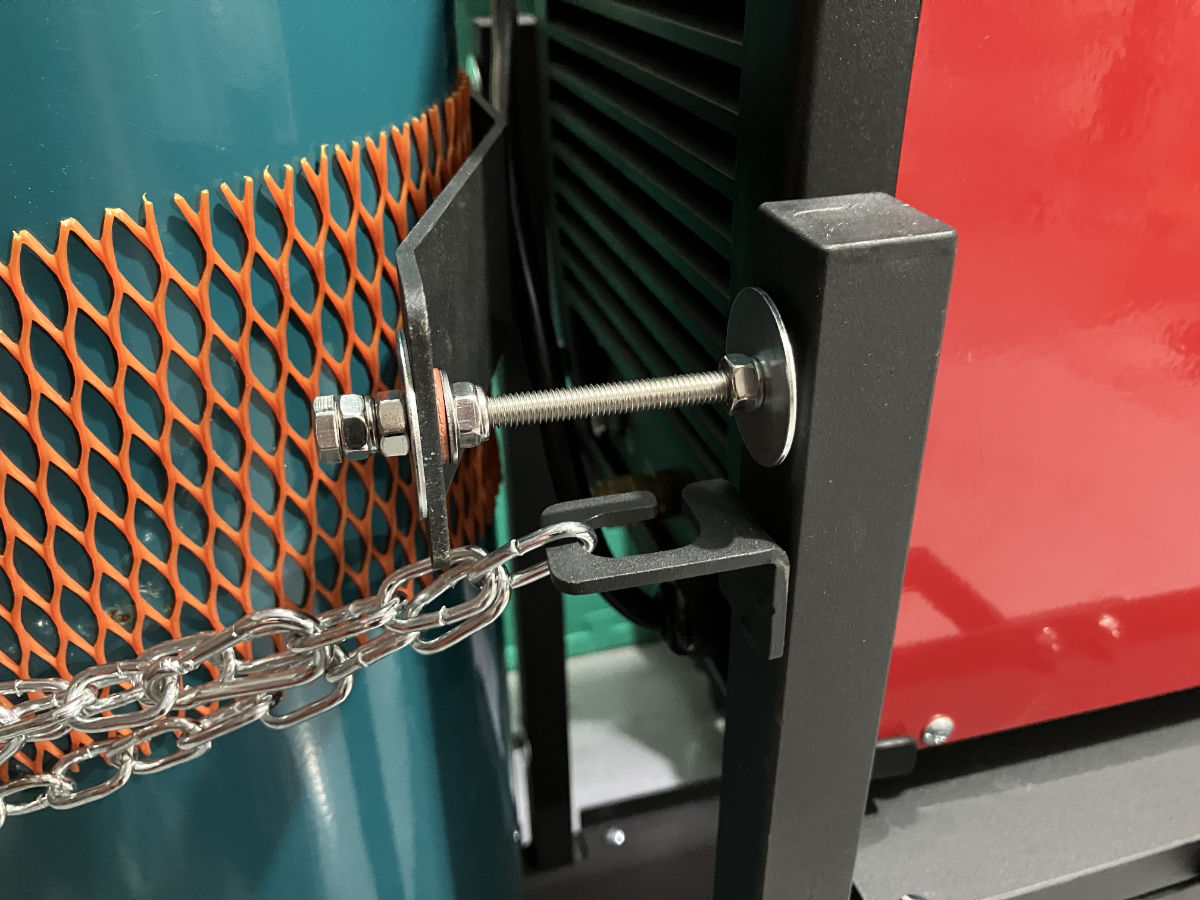
The alternatives are to extend the shelf, or, to push the gas bottle back. I went with the latter, given there’s room for a bigger bottle than mine.
The solution, potentially temporary, depending on how it holds up, was to make standoffs to move the cradle (which secures the bottle) back. Thankfully the cradle parts are bolted on to the frame, so it was just a matter of using longer bolts, with nylock nuts and washers, to cantilever the cradle parts out. The added bonus is the threading means it’s very adjustable to the size of the cylinder.